Free text to speech: the best options in 2026 (and their limits)
The best free text to speech options in 2026, from built-in phone tools to free AI voice tiers, and what free really means: character limits and licences.
You can get good free text to speech in 2026 without paying a penny. Every iPhone and Android phone has free built-in text to speech, Microsoft Edge reads pages aloud in natural voices, and many apps offer free tiers of their AI voices. The catch is that “free” almost always comes with limits: a monthly character or time allowance on the best voices, more robotic voices for unlimited use, or rules about attribution and commercial use. This guide covers the best free options and explains exactly where each one stops.
Everything here is based on each provider’s published features and terms as of October 2026. Free tiers change often, so it’s worth checking the current details before you rely on one.
What “free” usually means in text to speech
Before the list, it helps to know the common trade-offs. Most free text to speech options limit one or more of these.
1. Character or time limits
Cloud AI voices cost money to run, so free tiers usually give you an allowance: a number of characters, credits or listening hours per day, week or month. Once it’s used up, you wait for it to reset or upgrade.
2. Voice quality
The most natural, expressive AI voices are often reserved for paid plans. Unlimited free use tends to mean standard or on-device voices, which are clear but can sound flatter, especially over long passages. If you’re wondering what separates a natural voice from a robotic one, see the most realistic AI voices in 2026.
3. Downloads and watermarks
Many free tools let you listen but not download audio, or they limit downloads. Some free tiers require you to credit the provider when you publish what you make.
4. Commercial use
This one catches people out. Free plans, and sometimes even personal paid plans, often don’t allow commercial use of the audio. If you’re making a YouTube video, an advert or anything that earns money, read the licence first. Our guide to AI voiceovers for YouTube, TikTok and Shorts goes into more detail.
5. Ads and privacy
Some free apps are supported by ads. Cloud voices also mean your text is sent to a server to be turned into speech, so check the privacy policy if you’re speaking about anything sensitive.
Free text to speech already on your phone
The easiest free text to speech is the one you already have. These built-in tools are free, unlimited and need no account. We explain setup in detail in how to use text to speech on iPhone and Android.
iPhone and iPad: Spoken Content and Live Speech
- Speak Selection reads any text you select. Speak Screen reads the whole screen when you swipe down from the top with two fingers. Turn them on in Settings, under Accessibility.
- Live Speech lets you type what you want to say and have it spoken aloud, in person or on phone and FaceTime calls. You can save phrases and choose from many system voices or your own Personal Voice. According to Apple Support it needs iOS 17 or later on an iPhone XS or newer.
Limits: the voices are good for built-in voices but less expressive than the best AI voices. You can’t easily export audio files.
Android: Select to Speak and Reading mode
- Select to Speak reads aloud whatever you tap or select on screen.
- Google’s Reading mode app shows articles in a clean layout and reads them aloud with long-form voices. Its Play Store listing says it supports English, French, Italian and Spanish and needs Android 9 or later.
Limits: these are reading tools. They aren’t designed for typing and speaking in conversation, and they don’t export audio.
Free text to speech on the web
Microsoft Edge Read Aloud
Edge, Microsoft’s free browser, has a built-in Read Aloud feature that reads web pages in a range of natural-sounding voices and accents. Microsoft says it’s available on desktop and in the Edge mobile app for iOS and Android, and that a few voices work offline.
Limits: it reads pages in the browser. It’s not an audio file generator and not a tool for speaking in conversation.
Free online TTS generators
There are many free websites where you paste text and download an audio file. TTSMaker is one well-known example. These sites are handy for quick one-off clips, but they typically cap how much text you can convert in a given period, and their terms on downloads and commercial use vary. Read the terms on the site itself before using the audio in anything public, and avoid pasting private or sensitive text into tools you don’t know.
Free tiers of popular text to speech apps
These apps offer a genuinely useful free tier, with paid plans for heavier use. All details are as of October 2026.
| App | What’s free | Main limit | Commercial use on free |
|---|---|---|---|
| ElevenReader | 10 hours of text to audio a month, 1,000+ voices | Monthly hours cap | Listening app |
| ElevenLabs (creator platform) | 10,000 credits a month | Credit cap | Not allowed; attribution required if you publish |
| Speechify | Basic listening with a small set of standard voices, up to 1.5x speed | Best voices need Premium | Listening app |
| NaturalReader | Limited free access, mainly to basic voices | Better AI voices need a paid plan | Personal plans are personal use only |
| @Voice Aloud Reader (Android) | Full reader, uses your phone’s voices | Ads in the free version | Listening app |
 MyVoice (Android) MyVoice (Android) | Unlimited offline on-device voices, plus 3,000 AI voice characters a month | AI character allowance; no audio downloads on free | Speaking app |
ElevenReader
ElevenReader’s free plan includes 10 hours of text to audio every month, with access to more than 1,000 voices, according to its pricing page. That’s a lot of listening for free. It’s a reading app: you import PDFs, ebooks and articles and listen to them.
ElevenLabs
ElevenLabs’ main creator platform has a free plan with 10,000 credits a month. Its help centre is clear that the free plan has no commercial licence and can’t be used for any commercial purpose, and that if you publish content made on the free plan you must credit ElevenLabs in the title. Paid plans include a commercial licence.
Speechify
Speechify’s free plan covers basic text to speech listening with a limited set of standard voices and speeds up to 1.5x. Its pricing page reserves the 1,000+ natural voices, 60+ languages and faster speeds for Premium.
NaturalReader
NaturalReader gives limited free access, mainly to its more basic voices, and reserves its better AI voices for paid plans. Its help centre notes that audio made on personal plans is licensed for personal use only, with commercial use sold separately.
@Voice Aloud Reader
On Android, @Voice Aloud Reader is free with ads and reads web articles, PDFs, documents and ebooks using the voices installed on your phone. Its developer offers a one-time premium licence to remove ads.
MyVoice’s free tier: what you get
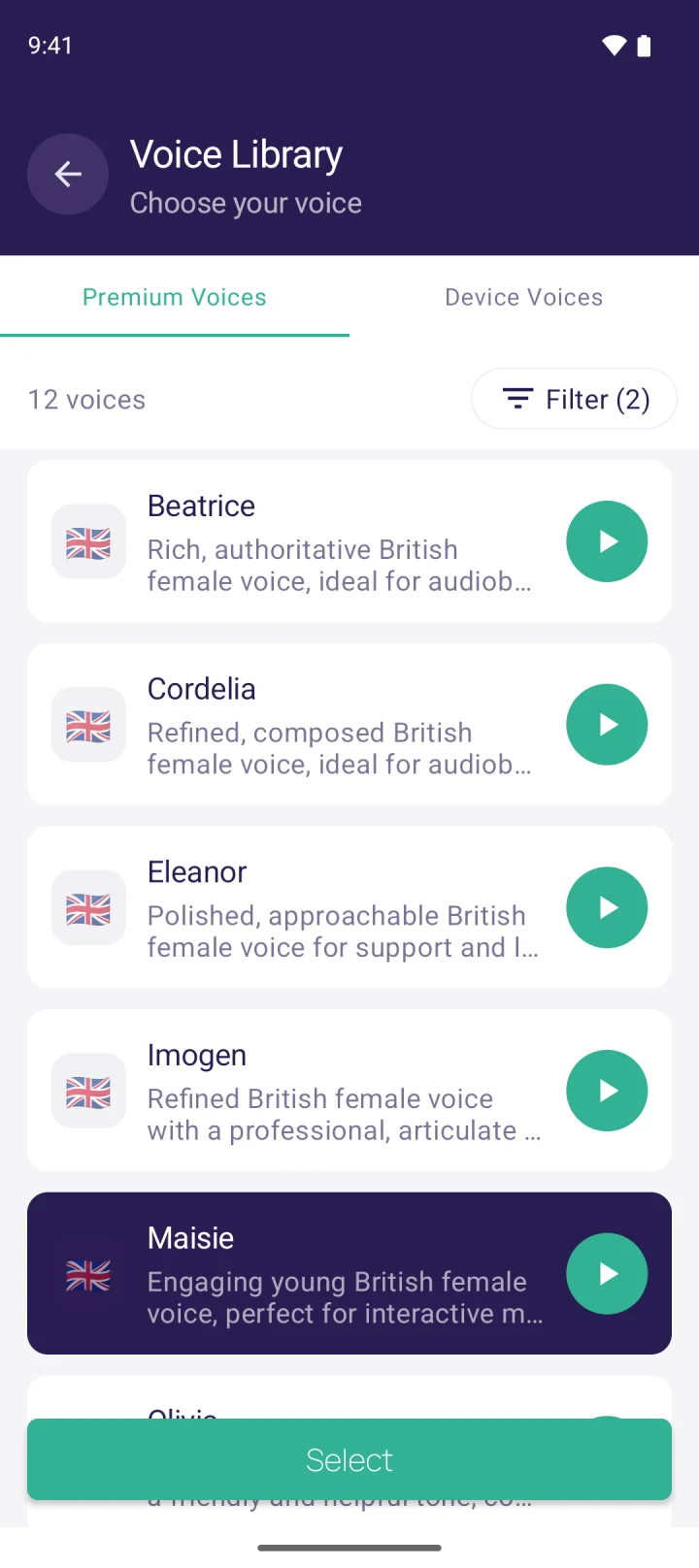
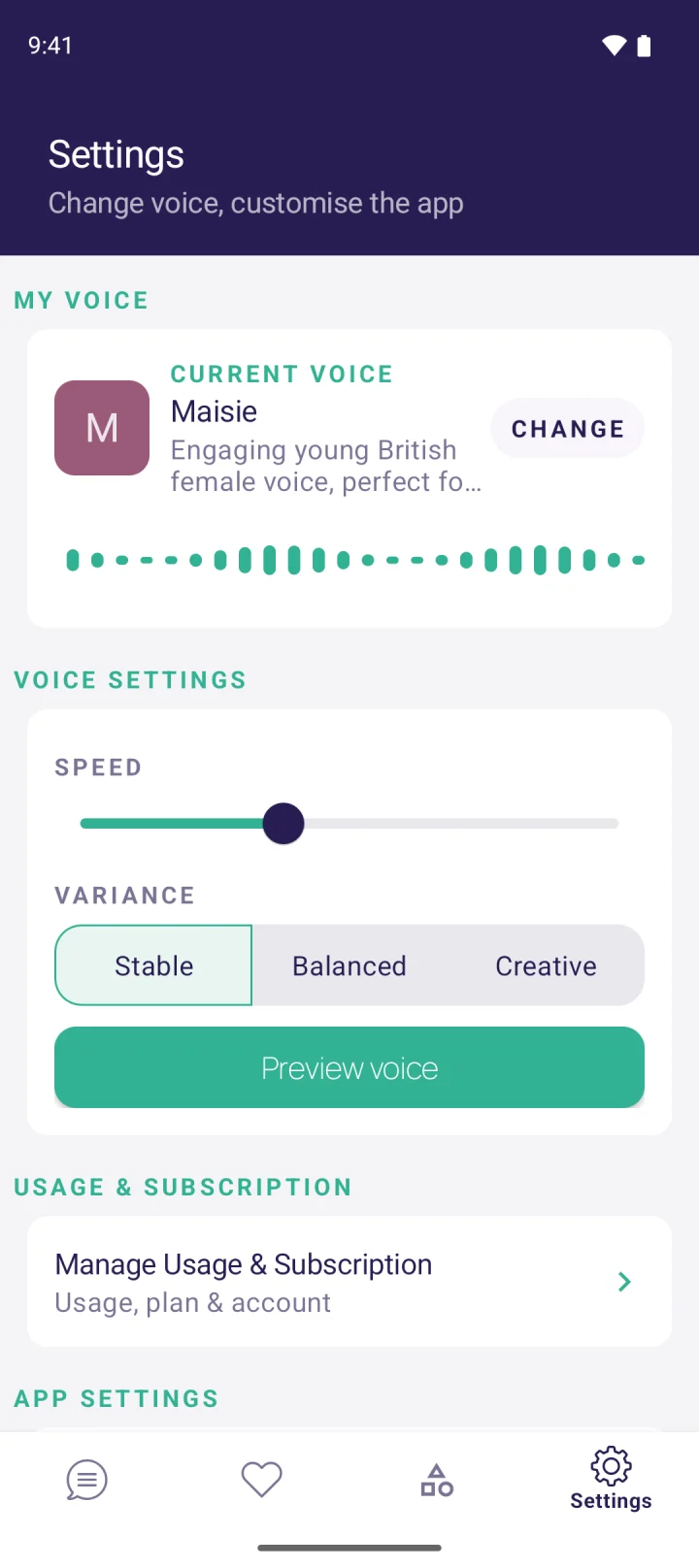
MyVoice is our app, so here’s exactly what our free tier includes, and where it stops.
MyVoice is a text to speech app for speaking out loud: you type, tap Speak, and it’s read aloud. It’s designed for communication, for example if you’ve lost your voice or use AAC day to day, rather than for reading documents.
Free, at $0:
- Unlimited on-device voices that work offline, so you can always speak, even without signal.
- 3,000 AI voice characters a month (about 600 words) in our natural AI voices.
- Saved and favourite phrases for one-tap speaking.
- Speak as you type, enhanced delete, clear after speaking and dark mode.
What free doesn’t include: audio clip downloads, and more than 3,000 AI characters a month. If you need more, paid plans start at $2.99 a month for 200,000 characters (about 40,000 words), with Standard at $4.99 and Premium at $8.99. Paid plans also add audio clip downloads. See pricing for the full breakdown.
Platforms: MyVoice is on Android now. The iOS version is coming soon to the App Store.
Worth knowing: MyVoice doesn’t read PDFs, ebooks or web pages. If that’s what you need, one of the reading apps above is a better fit.
You can hear all 278 of our AI voices on the homepage voice sampler without installing anything.
Which free text to speech option should you use?
- To have documents and articles read to you: start with your phone’s built-in tools or Edge Read Aloud. If you want more natural voices, ElevenReader’s free hours go a long way.
- To speak out loud in conversation: Live Speech on iPhone, or MyVoice on Android with its unlimited offline voices and free AI allowance.
- To make audio for a video or project: check the licence. Many free tiers are personal or non-commercial only, so a low-cost paid plan is often the safer route.
- For students: built-in tools plus a free reader app usually cover it. Our students page has more ideas.
For a fuller comparison including paid plans, see the best text to speech apps in 2026.
FAQ
Is there a completely free text to speech with natural voices?
The built-in voices on iPhone and Android are free and unlimited, and Microsoft Edge’s Read Aloud offers natural-sounding voices in a free browser. The most expressive AI voices are usually free only up to a monthly limit, such as ElevenReader’s 10 hours or MyVoice’s 3,000 AI characters.
Can I use free text to speech for YouTube or commercial projects?
Sometimes, but often not. ElevenLabs’ free plan, for example, doesn’t allow commercial use and requires attribution if you publish. Always read the licence of the specific tool before using its audio in anything that earns money.
What is the best free text to speech app for Android?
For reading, Google’s Select to Speak and Reading mode are free, and @Voice Aloud Reader is free with ads. For speaking out loud, MyVoice’s free tier gives you unlimited offline voices plus 3,000 AI voice characters a month.
Does free text to speech work offline?
Built-in phone voices and on-device voices usually work offline. Cloud AI voices need an internet connection. MyVoice’s on-device voices work offline, while its AI voices need a connection.
Why do free AI voices have limits?
Generating natural AI speech uses powerful servers, and that costs money every time text is spoken. Free allowances let you try the voices, while paid plans cover heavier use.
If you need to speak rather than listen, MyVoice is free to download on Android, and the free tier is a good way to find a voice that feels like yours.
Download MyVoice
Try for free
Natural AI voices, saved phrases, and full accessibility support on iOS and Android.