Communication apps for nonverbal adults: finding the right fit
Communication apps for nonverbal adults: what matters for non-speaking adults, types of tools, and tips for work, calls, shops and appointments.
The right communication app for a nonverbal or non-speaking adult is the one that lets them say what they mean, quickly, in a voice that feels like their own, wherever they are. For adults who can read and type, a text to speech app on a phone is often the fastest and most discreet option; adults whose language or movement is affected may need symbol-based AAC, switch access or eye gaze. This guide looks at what matters for adults specifically, the types of tools available, and how to make them work in everyday life.
If you want an app-by-app comparison with prices, see our guide to the best AAC apps in 2026. This post is about needs and situations.
A note on language
People describe themselves in different ways. “Nonverbal” is the term most people search for, but many people prefer non-speaking, because being unable to speak isn’t the same as being without language: plenty of non-speaking people type, write and sign fluently. Some autistic adults prefer identity-first language (“autistic person”), while others prefer person-first language (“person with aphasia”). We use both here, and the best rule is to follow the lead of the person you’re talking with.
Who this guide covers
Adults come to communication apps for very different reasons:
- Non-speaking and minimally speaking autistic adults, including people who can speak at times but lose speech under stress, fatigue or sensory overload.
- People with MND/ALS, whose speech may change over time, often alongside changes in hand and arm movement. Our post on neurological and neuromuscular conditions covers this in more depth.
- Stroke survivors, including people with aphasia (which affects language) or dysarthria (which affects the muscles used for speech). See communication after a stroke.
- Adults with cerebral palsy, who may have used AAC since childhood and now need tools that fit adult life.
- People who have had a laryngectomy or other treatment for head and neck cancer. Our post on laryngeal cancer and precancerous lesions explains how text to speech can help.
- People with situational or temporary voice loss, for example after vocal surgery, during voice rest or with a severe throat infection. See lost your voice? How to communicate without speaking.
These groups have different needs, and a speech and language therapist (SLT) can help work out what fits. This article is general information, not medical advice.
What matters for adults
Dignity and adult vocabulary
Many AAC systems were designed with children in mind. Adults need to talk about work, money, relationships, health, politics and humour, and they need to be able to swear, disagree and be sarcastic. Any app should let you say anything, not just pick from a fixed menu, and its look shouldn’t feel childish in a meeting or on a date.
A voice that feels like yours
The voice is how other people hear you. Adults usually want a voice that matches their age, gender and accent, and sounds natural enough that listeners focus on what’s said rather than how. Natural AI voices have made this far more achievable. If speech is likely to change, for example with MND, it’s worth asking an SLT early about voice banking or creating a personal synthetic voice while speech is still clear; Apple’s Personal Voice is one option on iPhone, and it can be used with Live Speech.
Speed
Conversation moves fast, and typing is slower than speaking. Features that save time make a real difference: saved phrases, word prediction, speaking as you type, and quick replies like “yes”, “no” and “give me a moment”.
Discreetness and portability
A phone is always in your pocket and draws little attention. A dedicated communication device can be more robust, louder and better suited to alternative access, but it’s another thing to carry and charge. Many adults use both: a dedicated device at home or for long conversations, and a phone app when out.
Access that matches your body
If typing on a touchscreen is reliable, a phone app is often enough. If movement is limited or changing, look for switch access, head tracking or eye gaze, which usually means specialist apps or dedicated devices. For progressive conditions, plan for tomorrow’s access needs as well as today’s.
Types of communication tools for nonverbal adults
| Tool | Good for | Things to know |
|---|---|---|
| Pen and paper, whiteboards, alphabet boards | Quick backup anywhere, no battery | Slower, and the listener must be able to read it |
| Built-in phone features (iPhone Live Speech, Android Select to Speak) | Free, already on your phone | Basic voices and fewer phrase tools; see how to use text to speech on iPhone and Android |
| Text to speech apps | Literate adults who can type; fast, discreet, natural voices | Need reliable spelling and touch access |
| Symbol-based AAC apps | Adults whose language is affected, for example by aphasia, or who have used symbols long-term | Take time to set up and learn |
| Dedicated speech-generating devices | Switch access, eye gaze, louder speakers, robust hardware | More expensive; often arranged through health services or funding |
| Low-tech and unaided methods (gesture, sign, facial expression) | Fast and personal with people who know you | Depend on the listener understanding |
Most people combine several of these. We explain the wider picture in what is AAC?
Practical tips for daily life
At work
- Let your manager and close colleagues know how you communicate, and what helps: for example, giving you time to type, or sharing agendas in advance.
- Prepare phrases for meetings (“Can I add something?”, “I’ll follow up in writing”) so you can join in quickly.
- Use chat and email where they work better than speech, and ask for this as a reasonable adjustment if needed.
- In noisy rooms, a Bluetooth speaker can help your voice carry.
Phone calls
- On iPhone, Live Speech can speak your typed words during phone and FaceTime calls, according to Apple.
- On Google Pixel 6 and later, turning on Type responses during calls in Live Caption settings lets you type replies that are read aloud to the caller.
- Save an opening line such as “Hello, I’m using a text to speech app, so please bear with me while I type” to set expectations from the start.
- Where you can, use online chat, email or text instead of phoning.
- Find out how to contact emergency services by text where you live. In some countries you need to register in advance, so do this before you need it.
Shops, cafés and getting around
- Save your regular orders and common questions (“Do you have this in a larger size?”) as phrases.
- Turn the screen towards the other person so they can read along while the app speaks.
- Keep a short card or note on your phone explaining that you’re non-speaking and how to communicate with you.
Medical appointments
- Write down symptoms, questions and your medication list before the appointment, ready to speak or show.
- Ask the clinic to note your communication needs on your record, and to allow longer appointments if that’s possible.
- Make sure staff talk to you, not to whoever came with you. A saved phrase like “Please speak to me directly; I’ll answer by typing” helps.
- Keep your phone charged and your app ready to use offline, in case the signal is poor in the building.
With family and friends
Agree how you’ll signal that you want to speak, so you’re not talked over, and ask people to wait rather than guess the end of your sentence. Our carers and families page has more ideas for the people around you.
Where MyVoice fits
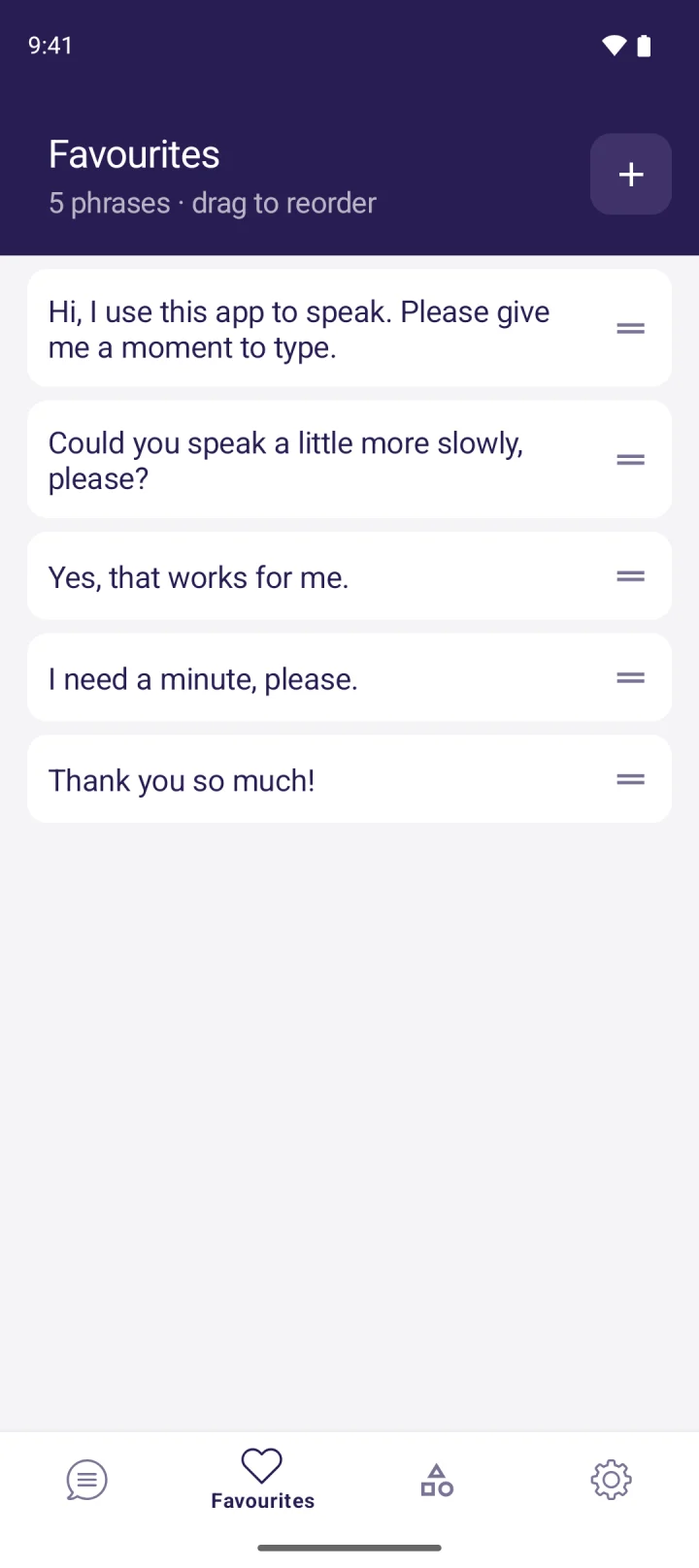
MyVoice is a text to speech app for adults who can type and want a natural voice. You type, tap Speak, and it’s read aloud with live word highlighting. You can choose from 278 natural AI voices across 15 languages, filtered by gender, age and accent, so it’s easier to find one that sounds like you, and on-device voices work offline. Saved phrases, favourites and categories put everyday lines one tap away. It’s on Android now, with iOS coming soon, and there’s a free plan.
It isn’t right for everyone: MyVoice has no symbol boards and no switch scanning or eye gaze support. Learn more on our AAC users page, or hear every voice in our voice sampler.
FAQ
What is the best communication app for nonverbal adults?
It depends on the person. Adults who can read and type often do best with a text to speech app; adults with aphasia or limited movement may need symbol-based AAC, switch access or eye gaze. An SLT can help you choose.
Can a nonverbal adult use text to speech on a normal phone?
Yes. iPhone has Live Speech built in, Android has accessibility features and text to speech engines, and apps such as MyVoice add natural voices and saved phrases.
Is “nonverbal” or “non-speaking” the right term?
Many people prefer “non-speaking”, because being unable to speak doesn’t mean being without language. Follow the preference of the person you’re with.
How can a non-speaking person make phone calls?
On iPhone, Live Speech can speak typed text in calls. On Pixel 6 and later, Live Caption can read typed replies to the caller. Text-based alternatives like chat and email also help.
Download MyVoice
Try for free
Natural AI voices, saved phrases, and full accessibility support on iOS and Android.